8、后台系统-分类品牌和规格管理
分类品牌管理就是将分类的数据和品牌的数据进行关联,分类数据和品牌数据之间的关系是多对多的关系,因此需要单独使用一张数据表来存储该数据。
1.1 菜单添加
首先在系统中分类品牌管理的菜单,具体步骤如下所示:
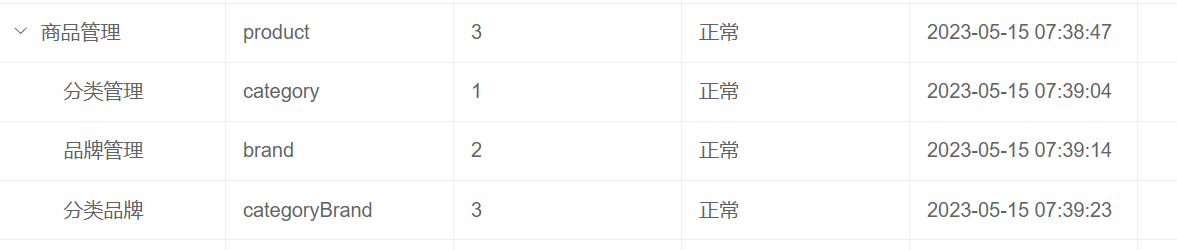
1、在后台管理系统中通过系统管理的菜单管理添加分类品牌管理的相关菜单,如下所示:
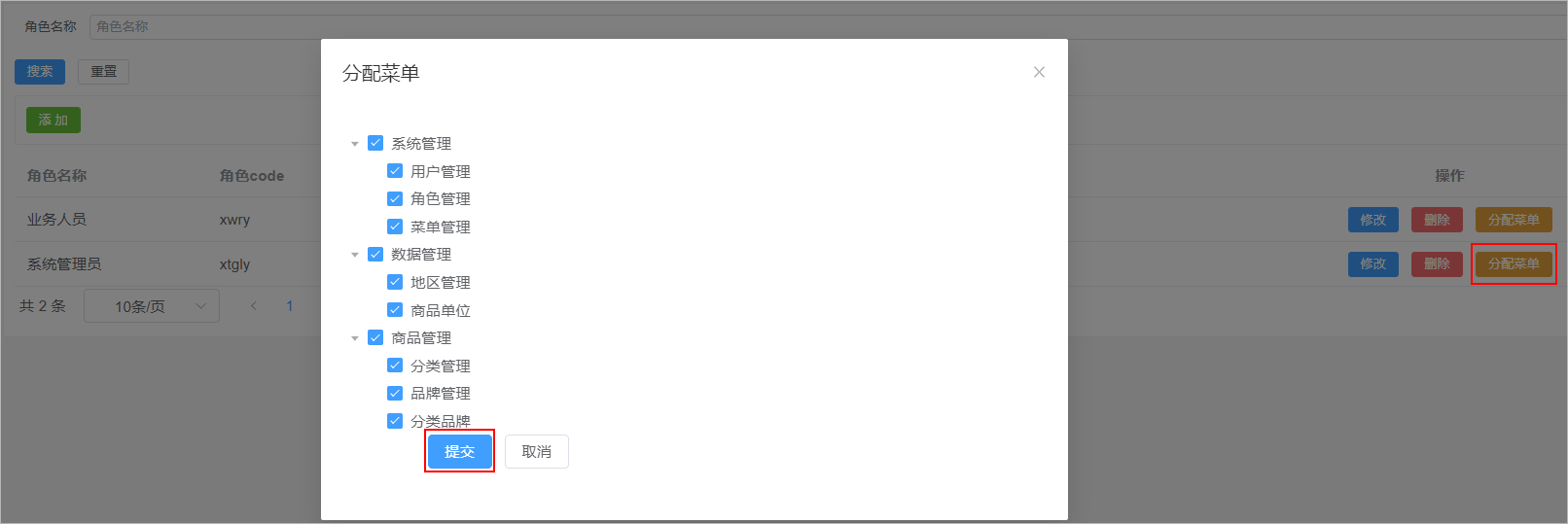
2、给系统管理员角色分配分类品牌管理菜单访问权限:
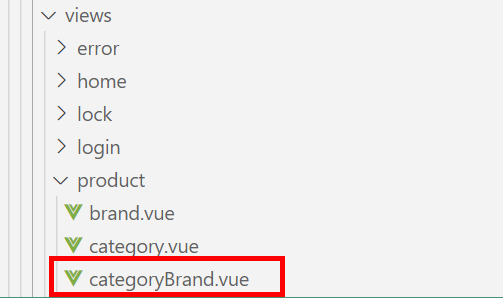
3、在前端项目中创建对应的页面,以及配置对应的异步路由
- 在src/views/product目录下创建categoryBrand.vue文件
- 在src/router/modules文件夹下创建product.js路由文件
const Layout = () => import('@/layout/index.vue')
const category = () => import('@/views/product/category.vue')
const brand = () => import('@/views/product/brand.vue')
const categoryBrand = () => import('@/views/product/categoryBrand.vue')

export default [
  {
    path: '/product',
    component: Layout,
    name: 'product',
    meta: {
      title: '商品管理',
    },
    icon: 'Histogram',
    children: [
      {
        path: '/category',
        name: 'category',
        component: category,
        meta: {
          title: '分类管理',
        },
      },
      {
        path: '/brand',
        name: 'brand',
        component: brand,
        meta: {
          title: '品牌管理',
        },
      },
      {
        path: '/categoryBrand',
        name: 'categoryBrand',
        component: categoryBrand,
        meta: {
          title: '分类品牌',
        },
      },
    ],
  },
]